ED5 Lighting Engine
A downloadable asset pack
Early Access
💡 ED5_LightingEngine — AAA Dynamic Lighting, Shadows & Fog of War
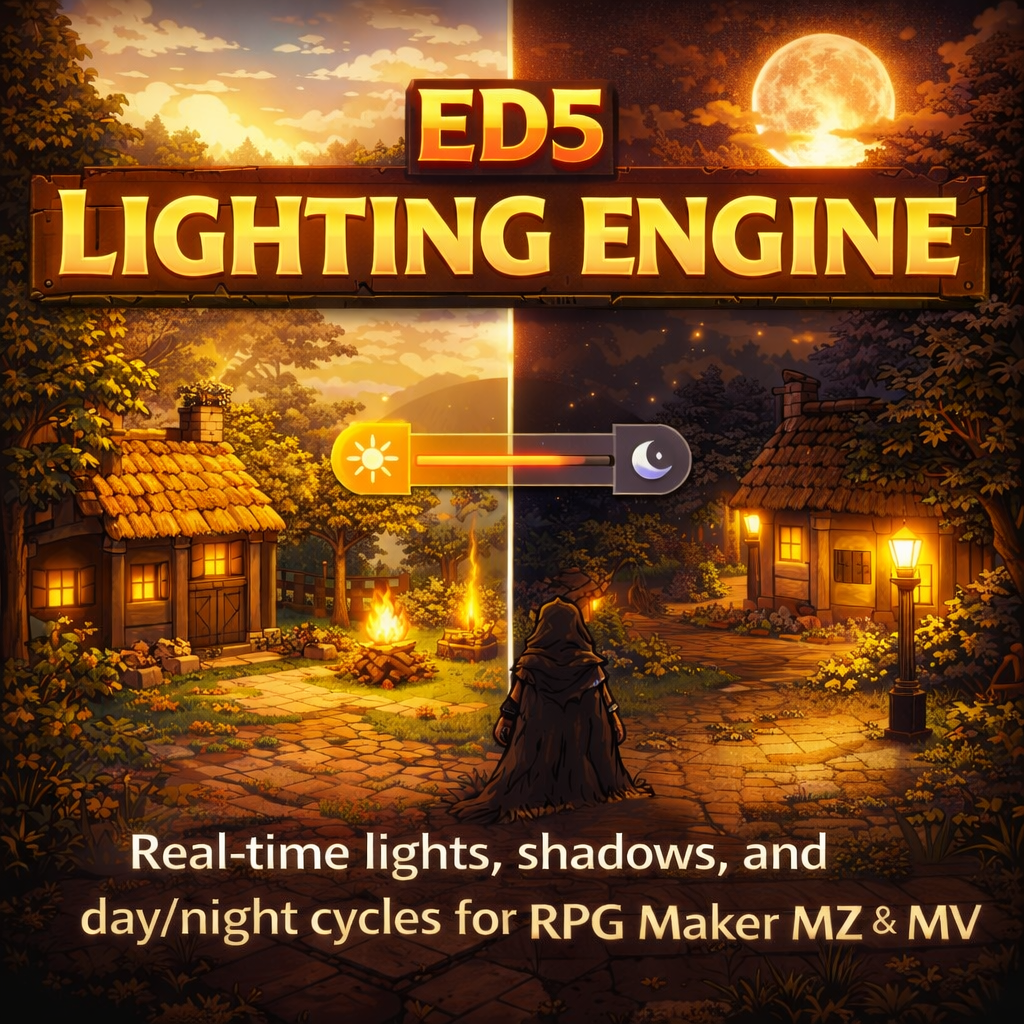
ED5_LightingEngine is a complete GPU-accelerated lighting system for RPG Maker MZ & MV — inspired by Hollow Knight, Ori and the Blind Forest, Octopath Traveler, and Diablo. Real-time soft shadows, per-pixel light falloff, dynamic light sources, fog of war, star fields, screen flashes, and fully reactive day/night ambient — all powered by PIXI.js and automatically synced with ED5_TimeSeasonsWeather.
✨ Key Features
Full PIXI.js RenderTexture pipeline — ambient darkness via MULTIPLY blend, additive light accumulation via ADD blend. Multi-layer radial gradient lights with configurable inner radius, outer radius, and falloff curves (linear, quadratic, exponential). Renders up to 60 simultaneous lights at 60 FPS on mid-range hardware.
Smooth ambient transitions driven by time-of-day, weather, and season. Pitch black at midnight, soft blue at dusk, golden warmth at dawn — all automatic when paired with ED5_TimeSeasonsWeather. Override per-map for caves (
<caveMode>), indoors (<indoorLighting>), or disable entirely (<noLighting>). Weather darkening during storms, fog, and blizzards. Seasonal tinting — warm summer, cool winter.
Drop-in presets for every scenario: torch, campfire, bonfire, candle, lantern, oil_lamp, lava, embers, crystal, magic_orb, holy, dark_flame, fairy, rune_glow, firefly, glow_mushroom, moonlight, sunlight, underwater, neon, window_light, spotlight, flashlight, player_aura, glow, explosion. Each with unique radius, color, intensity, flicker type, and shadow casting behavior. Create unlimited custom presets via JSON parameter.
Perlin noise-driven flickering for cinematic realism: flame (chaotic fire), candle (gentle waver), pulse (smooth sine wave), strobe (rapid on/off), electric (random sparks), breathe (slow organic glow). Each with configurable speed, intensity variance, and radius variance. Flickers affect both brightness and light radius.
Tag map regions as shadow casters (
<shadowCasterRegion: 3,4,5>) — walls, pillars, and obstacles cast dynamic shadow polygons from every light source. Configurable quality tiers (Ultra → Off), adjustable opacity and softness, character drop-shadows under player and events. Disable shadows per-map with <noShadows>.
Tile-based exploration fog — unexplored areas hidden until the player walks nearby. Configurable reveal radius, fog color, and opacity. Persistent fog: explored areas stay revealed across save/load. Equipment notetags like
<darkVision: 3> extend visibility. Perfect for dungeon crawlers and roguelikes.
Not just radial point lights — directional spot lights with configurable cone angle and direction. Give the player a flashlight that follows their facing direction. Attach spotlights to windows, lighthouses, and guard towers. Full cone rendering with layered falloff.
Lightning strikes, explosions, magic spells — trigger full-screen additive flash effects with any color, intensity, and duration. Combine with camera shake for maximum impact.
Automatic star particles at night — each star twinkles independently with sine-wave modulation. Configurable density (5–300 stars). Stars fade in as ambient darkness increases and vanish in daytime. Disabled indoors and in caves.
Tween any light property (radius, color, intensity) over time with easeInOut interpolation. Fade torches up, shift colors from warm to cold, expand explosions — all via plugin commands or script calls with frame-based durations.
Tie any light to a game switch — streetlamps that turn on at night, quest-triggered beacons, puzzle lights. Use
<lightNightOnly> and <lightDayOnly> notetags for automatic time filtering. Combine with TSW events for blood moon glows, eclipse darkening, and aurora effects.
Set performance profile to auto and the engine dynamically adjusts light count and shadow quality to maintain 60 FPS. Built-in performance monitor tracks render time per frame. Manual profiles available: Ultra, High, Medium, Low, Potato. Configurable render scale (full, half, quarter) for the internal light map.
Ambient state, player light, flashlight, fog of war data, shadow settings — all persisted across save/load. Load a save game and everything looks exactly as it did.
🔗 ED5 Plugin Ecosystem Integration
Primary integration — ambient darkness automatically syncs with TSW's hour, weather, season, and celestial events via EventBus. Sun goes down → world gets dark → lights become visible. Storms darken the sky. Blood moon turns the world red. Solar eclipse plunges midday into darkness. Winter adds cool blue tint, summer adds warm orange. TSW's screen tint system is intercepted so lighting takes full control of the atmosphere.
Exposes
ED5.ABS.getLightLevel(tileX, tileY) — returns a 0.0–1.0 brightness value at any world coordinate. ABS stealth systems can use this to determine if the player is hidden in shadow or exposed by torchlight. Enemies could have reduced detection range in darkness.
Auto-places torch lights at doorways in procedurally generated dungeon rooms. Every new room comes pre-lit — no manual event setup required.
All integrations are optional — the plugin works standalone with zero dependencies.
🏷️ Notetag Reference
<caveMode> — Pitch black dungeon (0.95 darkness)<indoorLighting> — Constant indoor ambient, no day/night<ambientColor: #001133> — Override ambient color<ambientIntensity: 0.8> — Override darkness level<noShadows> — Disable shadow casting on this map<fogOfWar> — Enable fog of war on this map<fogOfWarRadius: 5> — Visibility radius in tiles<noLighting> — Completely disable lighting engine<shadowCasterRegion: 3,4,5> — Region IDs that cast shadows
<light: torch> — Attach a preset light<light: torch 200 #ff9933 0.8> — Preset + radius + color + intensity overrides<lightOffset: 0 -24> — Pixel offset from event center<lightSwitch: 5> — Only active when Switch #5 is ON<lightFlicker: flame 1.0 0.15> — Flicker type + speed + intensity<lightNightOnly> — Only visible at night (TSW)<lightDayOnly> — Only visible during daytime<lightRadius: 200> — Override radius directly<lightColor: #ff9933> — Override color directly<lightCone: 45> — Make it a spot light with 45° cone<lightDirection: face> — Spot light follows event facing<lightCastShadows: true> — Enable/disable shadow casting<noShadow> — Don't draw a character drop-shadow for this event
<playerLight: lantern> — Actor/equipment provides a light preset<lightBonus: 50> — Adds +50 pixels to player light radius<darkVision: 3> — Extends fog of war visibility by 3 tiles
🚀 Quick Start
ED5_LightingEngine.js in your js/plugins/ folder and enable it. Place below ED5_TimeSeasonsWeather if using TSW integration.
<light: torch> on a brazier, <light: campfire> on a fire pit, <light: lantern> on a street lamp. Done!
<caveMode> for pitch-black dungeons. Add <shadowCasterRegion: 3> and paint Region 3 on walls for dynamic shadows. Enable <fogOfWar> for dungeon crawling exploration.
Set Player Flashlight → ON) or a persistent lantern via event notetag on their actor (<playerLight: lantern>).
🎮 Plugin Commands (MZ)
| Add Light | Add a standalone light at world coordinates with preset, radius, color overrides |
| Add Light to Event | Attach a light to any event with preset and pixel offset |
| Add Light to Player | Attach a light to the player character |
| Remove Light / Event Light / Player Light | Remove lights by ID, event ID, or player |
| Set Ambient | Set ambient darkness color, intensity, and transition duration |
| Fade to Black / Fade from Black | Smooth screen-wide darkness transitions |
| Flash Screen | Full-screen flash effect with color, intensity, duration |
| Set Light Radius / Color / Intensity | Smoothly animate any light property over time |
| Toggle Light | Turn a light on, off, or toggle by ID |
| Set Player Flashlight | Give the player a directional flashlight with cone angle |
| Enable Shadows | Toggle shadow casting on/off at runtime |
| Activate Fog of War | Toggle fog of war on/off at runtime |
| Reset Lighting | Clear all non-persistent lights and restore map defaults |
MV Plugin Commands also fully supported — see plugin help text for ED5Lighting command syntax.
📜 Script API Highlights
ED5.Lighting.API.addLightToEvent(5, 'campfire', 0, -12)
ED5.Lighting.API.addLightToPlayer('lantern')
ED5.Lighting.API.removeLight('myLight')
ED5.Lighting.API.removePlayerLight()
ED5.Lighting.API.setAmbient('#001133', 0.8, 120)
ED5.Lighting.API.fadeToBlack(60)
ED5.Lighting.API.fadeFromBlack(60)
ED5.Lighting.API.flashScreen('#ffffff', 1.0, 15)
ED5.Lighting.API.setLightRadius('myLight', 300, 60)
ED5.Lighting.API.setLightColor('myLight', '#ff0000', 30)
ED5.Lighting.API.setLightIntensity('myLight', 1.5, 30)
ED5.Lighting.API.toggleLight('myLight', true)
ED5.Lighting.API.isInLight(10, 8) // true/false
ED5.Lighting.API.getLightLevel(10, 8) // 0.0 → 1.0
ED5.Lighting.API.isInShadow(10, 8) // true/false
ED5.Lighting.API.enableShadows(true)
ED5.Lighting.API.enableFogOfWar(true)
ED5.Lighting.API.revealFog(10, 8, 3)
ED5.Lighting.API.isActive() // is lighting engine running?
ED5.Lighting.API.getVersion() // '1.0.0'
ED5.Lighting.API.on('event', callback) // EventBus subscription
🌙 TSW Integration Examples
With ED5_TimeSeasonsWeather loaded, everything is automatic — but here's what happens behind the scenes:
// 5:00 AM → Dawn: darkness fades from 0.80 → 0.05
// 6:00 PM → Dusk: darkness rises from 0.05 → 0.80
// 9:00 PM → Full night: 0.80 darkness, stars visible
// Weather modifiers (additive to ambient)
// Thunderstorm: +0.20 darkness
// Heavy Rain: +0.15 darkness
// Fog: +0.15 darkness
// Blizzard: +0.25 darkness
// Celestial events
// Blood Moon → screen tints deep red (#220000)
// Solar Eclipse → midday plunges to 0.90 darkness
// Aurora Borealis → ambient shifts to #001122
🧪 Common Setups
Map notetag:
<caveMode><fogOfWar><shadowCasterRegion: 3>Player carries a lantern:
<playerLight: lantern> on actor noteTorches on events:
<light: torch>Paint Region 3 on all wall tiles → walls cast shadows from every light!
No special map notetag needed — TSW handles ambient automatically.
Street lamps:
<light: lantern><lightNightOnly>Tavern windows:
<light: window_light><lightNightOnly>Campfire in town square:
<light: campfire> (always on)
Map notetag:
<caveMode>Crystal formations:
<light: crystal>Glowing mushrooms:
<light: glow_mushroom>Fairy companions:
<light: fairy>Rune inscriptions:
<light: rune_glow>
Map notetag:
<caveMode><fogOfWar><noShadows>Player flashlight: Plugin Command
Set Player Flashlight → ONUse
ED5.Lighting.API.getLightLevel(x, y) to check if player is hiddenLightning flash during storms:
FlashScreen #ffffff 1.5 8
📊 AAA Game Comparison
| AAA Game Feature | ED5_LightingEngine Equivalent |
| Hollow Knight — dark caves with lantern | <caveMode> + player lantern + fog of war |
| Ori — ambient glow from crystals/plants | crystal, glow_mushroom, fairy presets with pulse flicker |
| Octopath Traveler — warm torch flicker | torch, candle, lantern presets with Perlin noise flame flicker |
| Diablo — real-time shadow casting | Region-based shadow polygons from every light source |
| Skyrim — day/night ambient shifts | Full TSW integration: hour, weather, season, celestial events |
| Amnesia — flashlight cone in darkness | Directional flashlight with facing-aware cone |
| Dark Souls — bonfire glow | bonfire preset with flame flicker and shadow casting |
| Stardew Valley — gradual dusk transition | 120-frame eased ambient transitions with warm tints |
| Terraria — fog of war exploration | Persistent tile-based fog with reveal radius |
⚙️ Plugin Parameters Overview
| Category | Parameters |
| 🔧 General | Enable Lighting, Performance Profile (auto/ultra/high/medium/low/potato), Render Scale, Max Active Lights, Default Falloff |
| 🌑 Ambient | Default Color, Default/Night/Dawn/Day/Cave Intensity, Transition Speed, Star Field Enable & Density |
| 🌘 Shadows | Enable, Quality (ultra→off), Character Shadows, Shadow Color, Opacity, Softness, Time-Based Angle |
| ✨ Effects | Enable Bloom, Bloom Threshold/Radius/Intensity, Enable God Rays, God Ray Samples/Intensity |
| 🔦 Player Light | Default Preset, Radius, Color, Intensity, Auto Light at Night, Night Preset |
| 🗺️ Fog of War | Enable, Color, Opacity, Radius, Persistence |
| 🐛 Debug | Debug Mode (light markers & radii), Performance Stats Overlay |
🔥 All 25+ Light Presets
| Preset | Type | Color | Radius | Flicker | Shadows |
| torch | point | ■ #ff8833 | 180 | flame | ✅ |
| campfire | point | ■ #ff6622 | 250 | flame | ✅ |
| bonfire | point | ■ #ff4400 | 400 | flame | ✅ |
| candle | point | ■ #ffcc66 | 100 | candle | ✅ |
| lantern | point | ■ #ffdd88 | 200 | candle | ✅ |
| oil_lamp | point | ■ #ffcc77 | 160 | candle | ✅ |
| lava | point | ■ #ff2200 | 200 | flame | ✅ |
| embers | point | ■ #ff4400 | 80 | flame | ❌ |
| crystal | point | ■ #44ddff | 150 | pulse | ❌ |
| magic_orb | point | ■ #aa44ff | 120 | pulse | ❌ |
| holy | point | ■ #ffffcc | 250 | breathe | ❌ |
| dark_flame | point | ■ #8800ff | 180 | flame | ✅ |
| fairy | point | ■ #aaffaa | 80 | pulse | ❌ |
| rune_glow | point | ■ #4488ff | 90 | pulse | ❌ |
| firefly | point | ■ #ccff66 | 60 | pulse | ❌ |
| glow_mushroom | point | ■ #44ff88 | 100 | breathe | ❌ |
| moonlight | point | ■ #6688cc | 500 | — | ❌ |
| sunlight | point | ■ #ffffee | 600 | — | ✅ |
| underwater | point | ■ #0088aa | 300 | pulse | ❌ |
| neon | point | ■ #ff00ff | 120 | electric | ❌ |
| window_light | spot | ■ #ffeecc | 200 | — | ❌ |
| spotlight | spot | ■ #ffffff | 300 | — | ✅ |
| flashlight | spot | ■ #ffffee | 250 | — | ✅ |
| player_aura | point | ■ #ffffff | 160 | breathe | ❌ |
| glow | point | ■ #ffffff | 80 | breathe | ❌ |
| explosion | point | ■ #ffaa00 | 500 | — | ❌ |
+ Unlimited custom presets via JSON parameter
📋 Changelog
Complete AAA lighting engine with GPU-accelerated PIXI.js pipeline, 25+ light presets, 6 flicker types (Perlin noise), region-based shadow casting, fog of war, star fields, spot lights & flashlights, screen flash effects, smooth property tweening, auto performance scaling, full day/night/weather/season/celestial integration via ED5_TimeSeasonsWeather, ABS light level queries, procedural dungeon auto-lighting, 50+ plugin parameters, 18 MZ plugin commands, full MV support, comprehensive notetag system, Script API with 25+ methods, and complete save/load persistence.
📜 Terms of Use
- ✅ Free for use in commercial and non-commercial RPG Maker MZ & MV projects
- ✅ Credit ED5 (ChigooX) in your game credits
- ❌ Do not redistribute or resell this plugin
- ❌ Do not claim this plugin as your own
Comments
Log in with itch.io to leave a comment.
This looks promising, and very tempting, but it's hard to want to commit to purchasing it when there's no screenshots or videos of any of the in-game functionality, and paired with the fact that a $10 plugin is only available as part of a $100 pack right now, it's, well, ten times harder to justify. I'm not interested in the rest of what's in the pack, it's way too much for the project I'm working on.
As a sidenote, the theme/styling you're using for this page, the black-on-a-grey background text area, makes it incredibly hard to read what I'm typing. I dunno if you'd be willing to adjust that so people don't have to struggle to give you feedback.
no problem, I’m gonna see if I can make time today to provide some screen shots nd videos. Also I haven’t realized it wasn’t in any other packs I’ll see where I can add it to. And noted on the theme
Ditto on the request for footage / screenshots... I already have plenty of lighting plugins, so I'd need to see this thing in action to decide if it has any differences worth looking into.
noted
also if you watch videos for my mmo studio which uses the almost indentical lighting. You'll see an example there
no problem, I’m gonna see if I can make time today to provide some screen shots nd videos. Also I haven’t realized it wasn’t in any other packs I’ll see where I can add it to. And noted on the theme