
ED5 on Screen Formation
A downloadable game
🧭 ED5_OnScreenFormation — Live Party Formation HUD
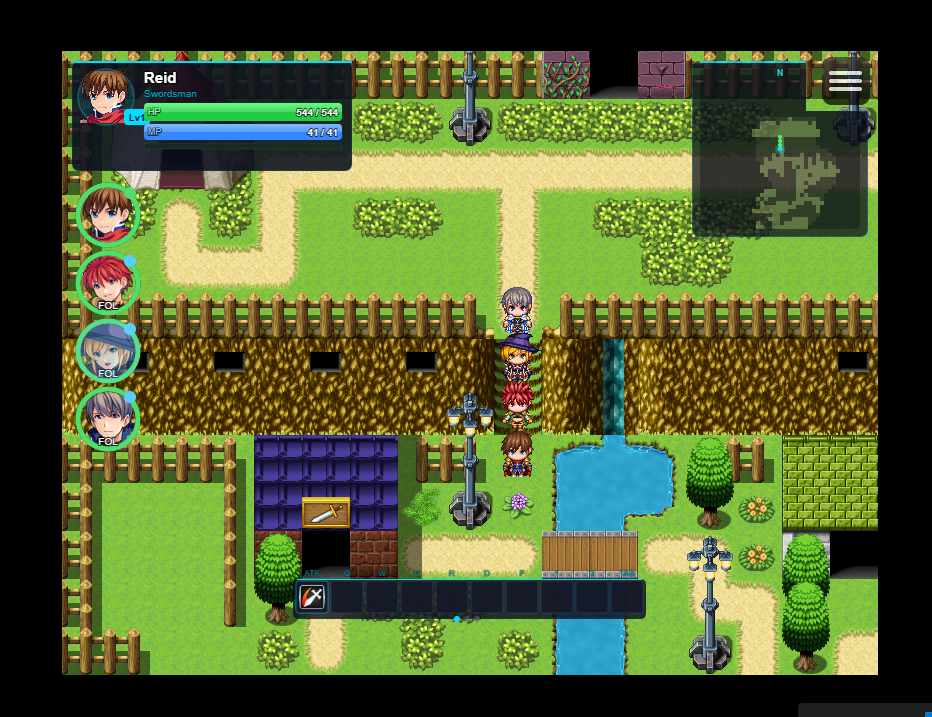
ED5_OnScreenFormation adds a live party formation panel directly on the map scene for RPG Maker MZ. Reorder party members with drag-and-drop, switch leaders instantly, link/unlink follow groups, and manage follower AI behavior from one clean on-screen interface.
📦 Version: 1.0 | 🎮 RPG Maker MZ | 👤 Author: ED5 (ChigooX)
✨ What It Does
👥 Live Formation Panel
Shows current party members on the map in a dedicated HUD strip on the left side.
Shows current party members on the map in a dedicated HUD strip on the left side.
🖱️ Drag-to-Reorder
Reorder party members by dragging rows. Party order updates immediately.
Reorder party members by dragging rows. Party order updates immediately.
🎯 Quick Leader Switch
Double-click a member to switch the controlled leader (configurable).
Double-click a member to switch the controlled leader (configurable).
🔗 Link/Unlink Follow Groups
Toggle whether a party member follows the current leader group. Unlinked members can remain in place.
Toggle whether a party member follows the current leader group. Unlinked members can remain in place.
⚔️ ABS AI Mode Cycling
If ED5 ABS is active, shift+click or right-click rows to cycle AI mode (follow/aggressive/defensive/healer/stay).
If ED5 ABS is active, shift+click or right-click rows to cycle AI mode (follow/aggressive/defensive/healer/stay).
🩹 Smart Visibility
Optional health-based visibility hides full-health party rows and surfaces damaged members first.
Optional health-based visibility hides full-health party rows and surfaces damaged members first.
🕹️ In-Game Controls
| Input | Action |
|---|---|
| Left click link icon | Link/unlink member with current leader group |
| Double click row | Switch controlled leader to that actor |
| Shift + left click row | Cycle ABS AI mode (if ABS module is present) |
| Right click row | Cycle ABS AI mode (if ABS module is present) |
| Drag row | Reorder party members |
| Mouse wheel over panel | Scroll long party lists |
🧩 Plugin Commands
Toggle HUD Visibility— show or hide formation panel.Switch Leader— set active controlled actor.Set Linked To Leader— link/unlink one actor to leader group.Link Actor Pair— make actor B join actor A’s link group.Reset Links— set all current party members to one link group.Set Actor Unlinked Event Template— assign map/event template for unlinked actor.Clear Actor Unlinked Event Template— remove template override for actor.Set Actor ABS Mode— force actor mode: follow/aggressive/defensive/healer/stay.
⚙️ Key Parameters
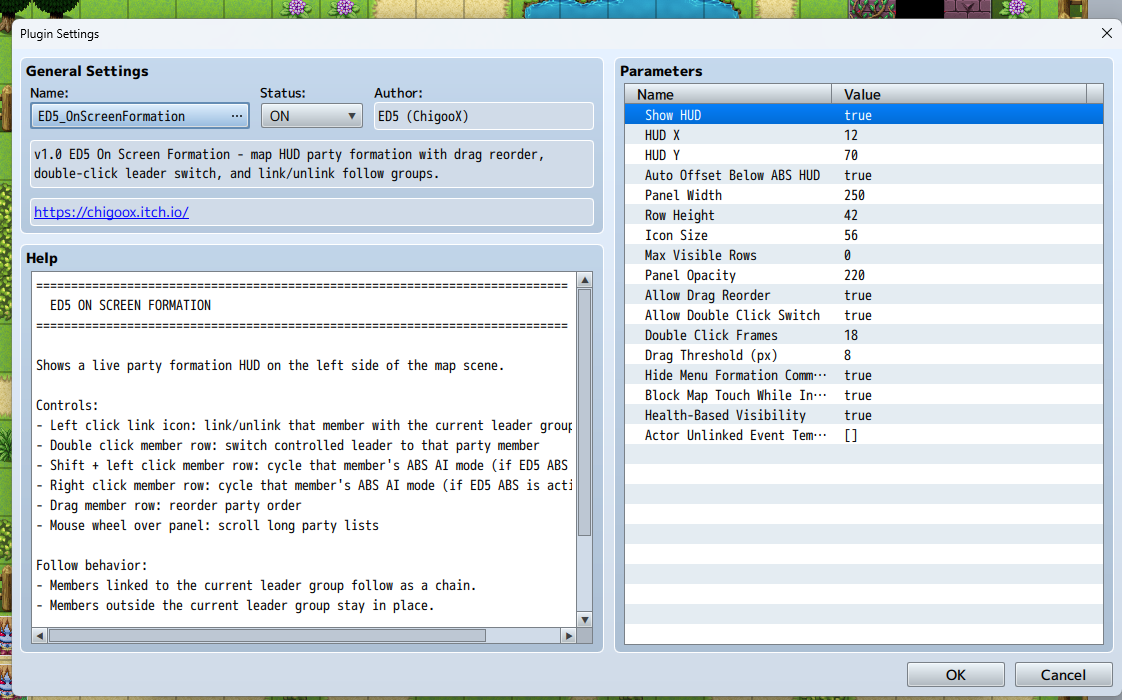
Position and behavior are highly configurable: panel X/Y, width, row height, icon size, max visible rows, panel opacity, drag threshold, double-click frame window, and interaction safety options like blocking map touch while editing formation.
Built for Compatibility: Alias-safe hooks, no core file edits, and designed to coexist with ED5 ABS modules.
🚀 Quick Setup
1) Place
ED5_OnScreenFormation.js in js/plugins/.
2) Enable plugin after ABS HUD/Hotbar modules.
3) Configure panel settings and interaction toggles.
4) Use commands/events for dynamic party control during gameplay.
📜 Terms
- ✅ Free for commercial and non-commercial RPG Maker MZ projects
- ✅ Credit ED5 (ChigooX) in your game credits
- ❌ Do not redistribute or resell this plugin
- ❌ Do not claim this plugin as your own
Development log
- NEW Party Formation Plugin!12 days ago
Leave a comment
Log in with itch.io to leave a comment.