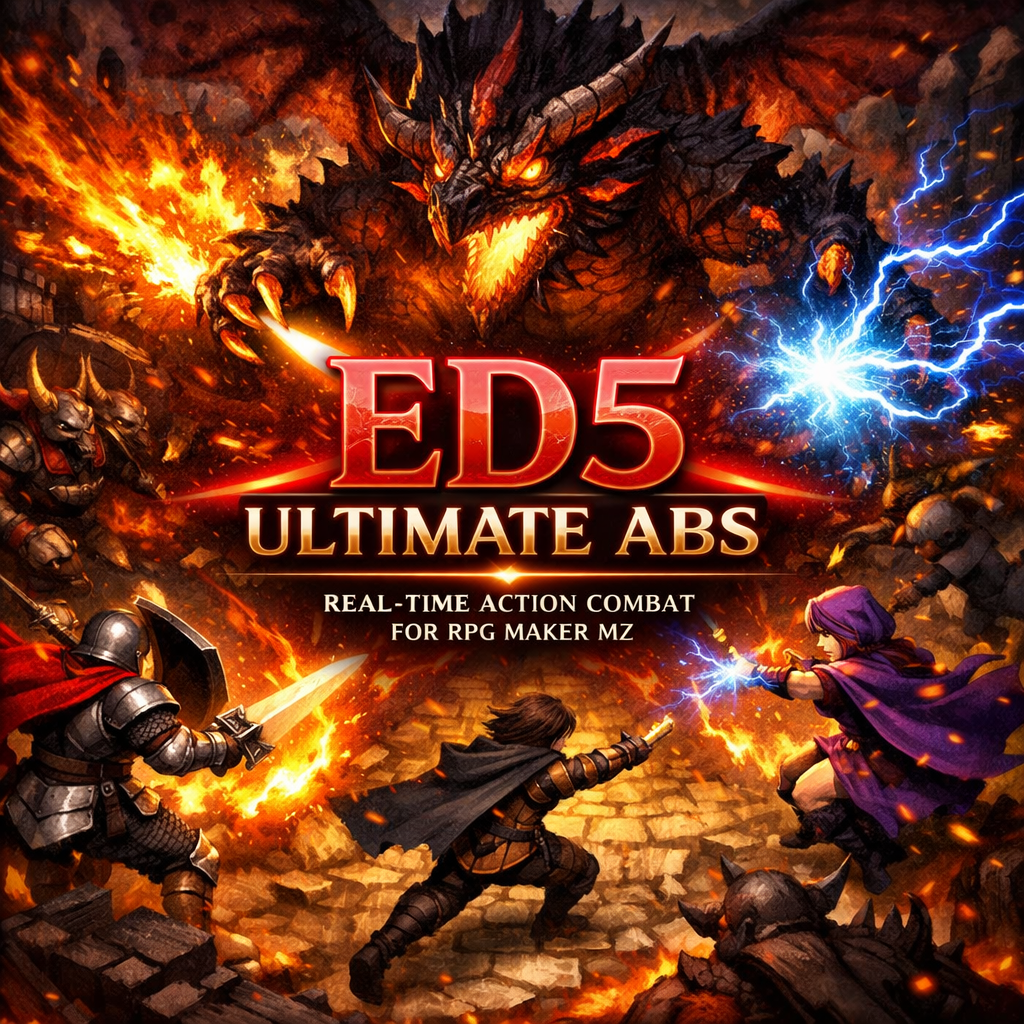
ED5 ULTIMATE ABS PLUGIN
(EARLY ACCESS)
⚔️ ED5 Ultimate ABS — Action Battle System for RPG Maker MZ/MV
Transform your RPG Maker MZ or MV game into a real-time action RPG. Swing swords, cast spells, dodge attacks, chain combos, and fight multi-phase bosses — all on the map in real time. No turn-based battles. Full ARPG combat, right out of the box.
📦 What's Included:
• 20 Modular Plugin Files — Use only what you need, or load them all
• ED5_ABS_AllInOne.js — Single-file version for quick setup
• 3 HUD Skins — Modern, Fantasy, and Retro (image-based, fully skinnable)
• Demo Project — A 30-minute playable dungeon crawl showcasing every feature
• Full Documentation — PDF manual, notetag cheat sheet, and video tutorials
✨ Features
🗡️ Core Combat
- Real-Time Action Combat — Attack, dodge, and cast skills on the map. No battle transitions.
- Pixel-Perfect Hitboxes — Rectangle, circle, cone, line, and polygon collision shapes. Not tile-based — true pixel-accurate hit detection.
- 10+ Projectile Types — Straight, homing, boomerang, hookshot, arc/grenade, beam, orbit, chain lightning, mine/trap, summon, wall, dash strike, and teleport.
- Full Combo System — Branching combo trees with cancel windows, combo counters, damage multipliers, and combo finishers — just like fighting games.
- Knockback & Stun — Configurable knockback power, direction, and stun duration on every skill.
- Invincibility Frames — Configurable i-frames after taking damage or dodging.
- Backstab Bonus — Extra damage for hitting enemies from behind.
- Lifesteal, Piercing, Multi-Hit — Deep skill customization via simple notetags.
🧠 Enemy AI
- State Machine AI — Enemies cycle through Idle → Patrol → Alert → Chase → Attack → Flee → Dead → Respawn.
- Patrol Routes — Event move routes, random wander, or waypoint-based patrol with configurable wait times.
- Conditional Skills — Enemies use different skills based on HP%, distance, target state, ally count, or random chance.
- Formations — Enemies surround, line up, or flank the player as a coordinated group.
- Telegraphed Attacks — Enemies pause and show a warning before heavy attacks, giving the player time to dodge.
- Line of Sight — Enemies need a clear line of sight to detect the player. They can also "hear" nearby combat.
- Leash Range — Enemies return to their origin if the player runs too far.
- Call for Help — Enemies alert nearby allies when attacked.
👑 Boss System
- Multi-Phase Bosses — Define boss phases with HP thresholds, unique skill sets, speed changes, and behavior shifts via notetags.
- Phase Transitions — Cutscenes, dialogue, animations, and invulnerability windows between phases.
- Weak Points — Target specific body parts. Break limbs to disable attacks.
- Telegraphed AoE — Ground markers show where attacks will land. Players must dodge.
- Summon Waves — Bosses summon adds mid-fight.
- Enrage Timer & Boss Music — BGM changes per phase, boss enrages after a time limit.
- Boss HP Bar — Large centered bar with name and phase indicator.
👥 Party & Follower AI
- 7 AI Modes — Follow, Aggressive, Defensive, Healer, Support, Passive, and Custom skill rotation.
- Smart Targeting — Party members spread out across enemies instead of piling on one.
- Formations — Line, diamond, spread, and cluster formations around the player.
- Manual Commands — Order followers to attack, fall back, or use specific skills via hotkey.
- Emergency Heal & Revive — Healer followers auto-heal low HP allies and revive downed party members.
📊 Aggro & Threat
- Threat Table — Every enemy tracks threat per actor. Damage, healing, buffs, and taunts all generate threat.
- Taunt & Stealth — Taunt skills force enemies onto you. Stealth drops all threat.
- Threat UI — Color-coded indicators on enemy HP bars show your threat level.
🎮 Movement & Input
- 8-Direction Movement — Diagonal movement with proper sprite support and wall sliding.
- Pixel Movement — Optional sub-tile positioning for smooth, fluid movement.
- Dodge Roll — Double-tap or press a key to dodge with i-frames. Configurable distance and cooldown.
- Dash & Dash Attack — Hold shift to sprint. Attack during dash for a special move.
- Full Gamepad Support — Xbox/PS controller with analog sticks, triggers, and vibration.
- Mouse & Touch — Click-to-move, click-to-attack, virtual joystick for mobile, and swipe dodge.
- Rebindable Keys — In-game keybinding menu with conflict detection and presets.
🖥️ HUD & UI
- Skinnable HUD — HP, MP, TP, EXP bars, face portrait, level badge, state icons, gold, ammo — all using image-based skins.
- Drag-and-Drop Layout Editor — Press F8 in test mode. Click, drag, and resize any HUD widget. Export layouts as JSON.
- 10-Slot Hotbar — Assign skills and items. Two hotbar pages. Visual cooldown sweeps, mana cost display, and ammo counters.
- Damage Popups — Animated floating numbers for physical, magical, critical, heal, miss, dodge, guard, absorb, weakness, resist, and more.
- Combo Counter — On-screen hit counter that scales with your combo, showing the damage multiplier.
- Cast Bar — Progress bar during skill casting.
- Interaction Prompts — "Press E to interact" appears near interactable events.
🗺️ Minimap
- Auto-Generated Minimap — Reads tile data to draw walls, floors, and water automatically.
- Fog of War — Unexplored areas stay hidden until the player walks through them. Saved per map.
- Custom Icons — Mark events as chests, NPCs, bosses, or hide them from the minimap.
- Full Map View — Press M to open a full-screen map.
💎 Loot & Drops
- Visual Drops — Items burst out of enemies with bounce physics and scatter.
- Loot Beams — Color-coded rarity beams: White (Uncommon), Blue (Rare), Purple (Epic), Orange (Legendary).
- Auto-Pickup & Magnet — Walk over items to collect, or hold a key to vacuum nearby drops.
- EXP Orbs & Gold Coins — Optional collectible EXP orbs and shiny gold coin drops.
- Custom Drop Tables — Define per-enemy drop rates, quantities, and rarity via notetags.
✨ VFX & Game Feel
- Hit Stop — Brief frame freeze on impact for satisfying combat feel.
- Screen Shake & Flash — Per-hit screen shake and white flash on critical hits.
- Slow Motion — Time slowdown on killing blows.
- Afterimages — Shadow trail during dash and dodge roll.
- Particles — Fire, ice, lightning, sparkle, blood, holy, and dark particle presets.
- Low HP Vignette — Red screen border when health is critical.
⚡ Performance
- Spatial Hash Grid — O(1) collision lookups instead of O(n²) brute force.
- Object Pooling — Reuses projectiles, sprites, and particles to prevent garbage collection spikes.
- Frustum Culling — Skips updates and rendering for off-screen and distant entities.
- Configurable Quality — High, Medium, and Low performance modes.
- 200+ Enemies at 30+ FPS — Stress-tested for large-scale battles.
🔌 Real-Time Status Effects
- 18+ Effect Types — Poison, Burn, Bleed, Regen, Slow, Haste, Stun, Freeze, Sleep, Blind, Silence, Confuse, Charm, Fear, Root, Shield, Reflect, Invisible, Berserk, and Invincible.
- Tick-Based Damage — Configurable tick rate and damage percentage.
- Visual Overlays — Character tints, overlay graphics, and screen effects per state.
- State Immunity & Stacking — Resistance stacking and immunity grants via notetags.
📐 Modular Architecture
Load only the modules you need. Every module beyond Core is optional.
| File | Required? | Description |
|---|---|---|
ED5_ABS_Core.js |
✅ Yes | Core engine, utilities, notetag parser, event bus, debug system |
ED5_ABS_Performance.js |
✅ Yes | Spatial hash, object pooling, frustum culling, anti-lag |
ED5_ABS_Input.js |
✅ Yes | Keyboard, gamepad, mouse, and touch input |
ED5_ABS_Hitbox.js |
✅ Yes | Pixel-accurate collision — AABB, circle, cone, line, polygon |
ED5_ABS_Projectiles.js |
✅ Yes | All projectile and tool types |
ED5_ABS_Damage.js |
✅ Yes | Damage calculation, popups, knockback |
ED5_ABS_States.js |
✅ Yes | Real-time status effects on the map |
ED5_ABS_EnemyAI.js |
✅ Yes | State machine AI, patrol, formations, conditional skills |
ED5_ABS_Loot.js |
✅ Yes | Drop system, auto-pickup, loot beams |
ED5_ABS_Save.js |
✅ Yes | Save/load compatibility and migration |
ED5_ABS_Commands.js |
✅ Yes | Plugin commands and script call API |
ED5_ABS_Movement.js |
Optional | 8-direction, pixel movement, dodge roll, dash |
ED5_ABS_PartyAI.js |
Optional | Follower AI modes, formations, commands |
ED5_ABS_Aggro.js |
Optional | Threat tables, taunt, stealth |
ED5_ABS_Combos.js |
Optional | Combo trees, chain attacks, combo counter |
ED5_ABS_Boss.js |
Optional | Multi-phase boss encounters |
ED5_ABS_HUD.js |
Optional | Skinnable HUD with drag-and-drop editor |
ED5_ABS_Hotbar.js |
Optional | 10-slot skill/item hotbar with cooldown display |
ED5_ABS_Minimap.js |
Optional | Auto-generated minimap with fog of war |
ED5_ABS_VFX.js |
Optional | Hit stop, slow motion, particles, afterimages, screen effects |
Load Order: Core → Performance → Input → Hitbox → Movement → Projectiles → Damage → States → EnemyAI → PartyAI → Aggro → Combos → Boss → Loot → VFX → HUD → Hotbar → Minimap → Commands → Save
🚀 Quick Start
Step 1 — Install Plugins
- Copy the ABS plugin files into your project's
js/plugins/folder. - In RPG Maker's Plugin Manager, enable the plugins in the load order shown above.
- Configure plugin parameters to your liking (all have sensible defaults).
Step 2 — Set Up a Weapon
Open your weapon in the database and add these notetags to the Note box:
<absTool>
<toolRange: 1>
<toolSpeed: 0>
<toolCooldown: 30>
<toolKnockback: 2>
<toolIconProjectile: swing>
This creates a melee sword swing with 1 tile range, 2-tile knockback, and a 0.5 second cooldown.
Step 3 — Create an Enemy
Create an event on your map and add these notetags to the event's Note box:
<absEnemy>
<enemy: 1>
<sensor: 6>
<aiBehavior: aggressive>
<aiAttackSkill: 1>
<respawn: 300>
This creates an aggressive enemy that detects the player within 6 tiles, attacks with skill 1, and respawns after 5 seconds.
Step 4 — Play!
Run your game. Press A to attack. Use Q, W, E, R for skill slots. Dodge with Shift. Enjoy real-time combat!
🏷️ Notetag Reference
Skills / Items / Weapons
| Notetag | Description | Example |
|---|---|---|
<absTool> |
Mark as an ABS tool (required) | <absTool> |
<toolRange: x> |
Range in tiles | <toolRange: 5> |
<toolSpeed: x> |
Projectile speed (1-10, 0 = melee) | <toolSpeed: 6> |
<toolCooldown: x> |
Cooldown in frames (60 = 1 sec) | <toolCooldown: 45> |
<toolCastTime: x> |
Cast time before firing (frames) | <toolCastTime: 30> |
<toolBehavior: type> |
Projectile type (straight, homing, arc, beam, boomerang, hook, orbit, chain, trap, summon, wall, dashStrike, teleport) | <toolBehavior: homing> |
<toolGraphic: name> |
Character sheet graphic for projectile | <toolGraphic: FireBall> |
<toolIconProjectile: mode> |
Use item's icon as projectile (static, animated, spin, swing) | <toolIconProjectile: spin> |
<toolKnockback: x> |
Knockback power in tiles | <toolKnockback: 3> |
<toolStun: x> |
Stun duration in frames | <toolStun: 30> |
<toolPiercing: bool> |
Pass through enemies | <toolPiercing: true> |
<toolLifesteal: x> |
% of damage healed to user | <toolLifesteal: 25> |
<toolAmmo: x> |
Required item ID (consumed per use) | <toolAmmo: 5> |
<toolSpecial: type> |
Multi-shot (triple, quintuple, circle, cone, cross) | <toolSpecial: triple> |
<toolHitAnimation: x> |
Animation ID on target when hit | <toolHitAnimation: 8> |
<toolScreenShake: p,s,d> |
Screen shake on hit (power, speed, duration) | <toolScreenShake: 5,5,10> |
<absHitbox: type, ...> |
Custom hitbox shape | <absHitbox: circle, 0, 0, 32> |
<comboNext: x> |
Next skill ID in combo chain | <comboNext: 12> |
<comboWindow: x> |
Frames to input next combo step | <comboWindow: 30> |
Enemy Event Notetags
| Notetag | Description | Example |
|---|---|---|
<absEnemy> |
Mark event as ABS enemy (required) | <absEnemy> |
<enemy: x> |
Enemy database ID | <enemy: 5> |
<sensor: x> |
Detection range in tiles | <sensor: 8> |
<aiBehavior: type> |
AI type (aggressive, defensive, passive, stationary) | <aiBehavior: aggressive> |
<aiAttackSkill: x> |
Primary skill ID for attacks | <aiAttackSkill: 10> |
<aiAttackSkills: x, y, z> |
Multiple skills (random pick) | <aiAttackSkills: 10, 12, 15> |
<aiSkillCondition: cond, id> |
Use skill when condition is met | <aiSkillCondition: hp < 50, 20> |
<patrol: type> |
Patrol behavior (route, random, waypoints) | <patrol: random, 4> |
<respawn: x> |
Respawn time in frames | <respawn: 300> |
<aiLeashRange: x> |
Max chase distance from origin | <aiLeashRange: 15> |
<noKnockback> |
Immune to knockback | <noKnockback> |
<bossBar: true> |
Show large boss HP bar | <bossBar: true> |
<aiFormation: type> |
Coordinated group behavior (surround, line, flank) | <aiFormation: surround> |
Map Notetags
| Notetag | Description |
|---|---|
<disableAbs> |
Disables ABS on this map (towns, cutscenes, etc.) |
<absMode: paused> |
Set map ABS mode (active, paused, cutscene) |
<minimapHidden: true> |
Hide minimap on this map |
⚙️ Plugin Commands (MZ)
All commands are available through RPG Maker MZ's Plugin Command system. For MV, use script calls instead.
| Command | Description |
|---|---|
ED5 ABS Enable / Disable |
Turn ABS on or off |
ED5 ABS Pause / Resume |
Pause/resume ABS (enemies freeze) |
ED5 ABS AssignSkill (slot, skillId) |
Assign a skill to a hotbar slot |
ED5 ABS UseSkill (skillId) |
Force the player to use a skill |
ED5 ABS SetInvincible (frames) |
Make player invincible for X frames |
ED5 ABS SpawnEnemy (enemyId, x, y) |
Spawn an enemy at a position |
ED5 ABS SetEnemyAI (eventId, behavior) |
Change an enemy's AI behavior at runtime |
ED5 ABS FollowerMode (actorId, mode) |
Set follower AI mode |
ED5 ABS FollowerFormation (type) |
Set party formation (line, diamond, spread, cluster) |
ED5 ABS ShowBossBar (eventId) |
Show the boss HP bar for an event |
ED5 ABS CameraShake (power, speed, dur) |
Trigger screen shake |
ED5 ABS SlowMotion (duration, factor) |
Trigger slow motion effect |
ED5 ABS SpawnDrop (type, id, x, y) |
Spawn an item drop at a position |
📜 Script Call API (MV & MZ)
For advanced users who prefer script calls in event commands or custom plugins:
// General
ED5.ABS.enable();
ED5.ABS.disable();
ED5.ABS.isActive();
// Player
ED5.ABS.player.useSkill(skillId);
ED5.ABS.player.assignHotbar(slot, skillId);
ED5.ABS.player.setInvincible(frames);
// Enemies
ED5.ABS.enemy.spawn(enemyId, x, y);
ED5.ABS.enemy.setAI(eventId, 'aggressive');
ED5.ABS.enemy.getHP(eventId);
ED5.ABS.enemy.setHP(eventId, hp);
// Party
ED5.ABS.party.setFormation('diamond');
ED5.ABS.party.setFollowerMode(actorId, 'healer');
// HUD
ED5.ABS.hud.show();
ED5.ABS.hud.hide();
ED5.ABS.hud.showBossBar(eventId);
// Camera & VFX
ED5.ABS.camera.shake(5, 5, 30);
ED5.ABS.camera.zoom(1.5, 60);
ED5.ABS.camera.focus(eventId, 60);
// Loot
ED5.ABS.loot.spawn('item', 5, x, y);
// Combo
ED5.ABS.combo.getHitCount();
ED5.ABS.combo.getBestCombo();
// Aggro
ED5.ABS.threat.getTable(eventId);
🎮 Default Controls
| Action | Keyboard | Gamepad |
|---|---|---|
| Attack | A | X |
| Skill 1 | Q | Y |
| Skill 2 | W | B |
| Skill 3 | E | LB |
| Skill 4 | R | RB |
| Dodge | Shift | A |
| Follower Command | K | D-Pad Up |
| Toggle Minimap | M | Select |
| Swap Hotbar Page | Tab | LT (Hold) |
All keys are fully rebindable via the in-game options menu or plugin parameters.
🧪 Example: Fireball Skill
Here's a complete fireball skill setup using notetags:
<absTool>
<toolRange: 8>
<toolSpeed: 6>
<toolCooldown: 90>
<toolCastTime: 20>
<toolBehavior: straight>
<toolGraphic: FireBall>
<toolIndex: 0>
<toolKnockback: 2>
<toolHitAnimation: 12>
<toolCastAnimation: 5>
<toolScreenShake: 3, 3, 8>
<toolTrail: true>
<toolTrailColor: #ff4400>
<toolBlendMode: 1>
This fires a glowing fireball that travels 8 tiles, knocks enemies back 2 tiles, shakes the screen on hit, and leaves a fiery trail.
🧪 Example: Homing Lightning
<absTool>
<toolRange: 10>
<toolSpeed: 8>
<toolCooldown: 120>
<toolBehavior: homing>
<toolPiercing: true>
<toolStun: 45>
<toolHitAnimation: 15>
<vfxParticle: lightning>
A fast homing bolt that tracks the nearest enemy, pierces through all targets, and stuns for 0.75 seconds.
🧪 Example: Multi-Phase Boss
<absEnemy>
<enemy: 10>
<bossBar: true>
<noKnockback>
<sensor: 12>
<bossPhases>
  phase 1: hp > 75
    skill: 10, 12
    speed: 3
    behavior: aggressive
  phase 2: hp > 50
    skill: 15, 18, 20
    speed: 4
    behavior: aggressive
    animation: 25
    dialogue: The dragon roars with fury!
  phase 3: hp > 25
    skill: 22, 25, 28
    speed: 5
    behavior: berserk
    summon: 6, 3
  phase 4: hp > 0
    skill: 30
    speed: 6
    behavior: desperate
    invincible: 60
</bossPhases>
A 4-phase boss that gets faster, learns new skills, summons minions at 25% HP, and goes berserk at the end.
📋 Requirements
- RPG Maker MZ or RPG Maker MV (v1.6+)
- No other plugins required — fully standalone
- Compatible with most popular plugins (VisuStella, YEP, etc.) — see documentation for details
📄 Terms of Use
- ✅ Use in commercial and non-commercial RPG Maker MZ/MV projects
- ✅ Modify the plugin code for your own projects
- ❌ Do not redistribute, resell, or share the plugin files
- ❌ Do not claim the plugin as your own work
- 📝 Credit ED5 in your game credits
🆘 Support
💬 Discord: Join our support server for help, bug reports, and feature requests.
📧 Email: Reach out via itch.io messages.
📖 Docs: Full PDF manual, notetag cheat sheet, and video tutorials included with purchase.
⚔️ Stop settling for basic combat. Build the action RPG you've always wanted. ⚔️
Purchase
In order to download this game you must purchase it at or above the minimum price of $19.99 USD. You will get access to the following files: